Phone provisioning server for Yealink, Fanvil and Sangoma
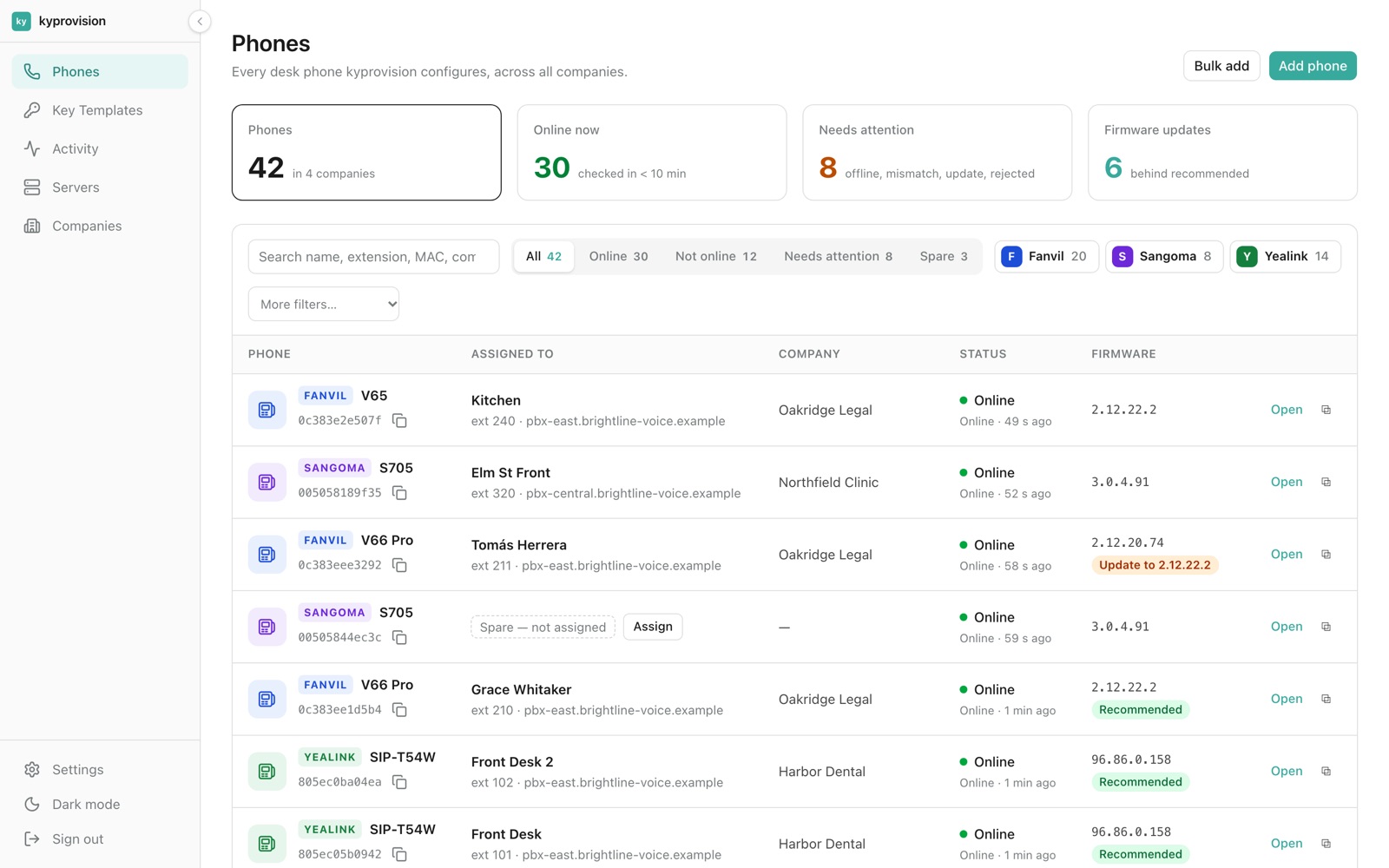
Plug in a desk phone and it configures itself. Manage every phone across every customer from one screen: who it belongs to, whether it is online, and which firmware it runs.
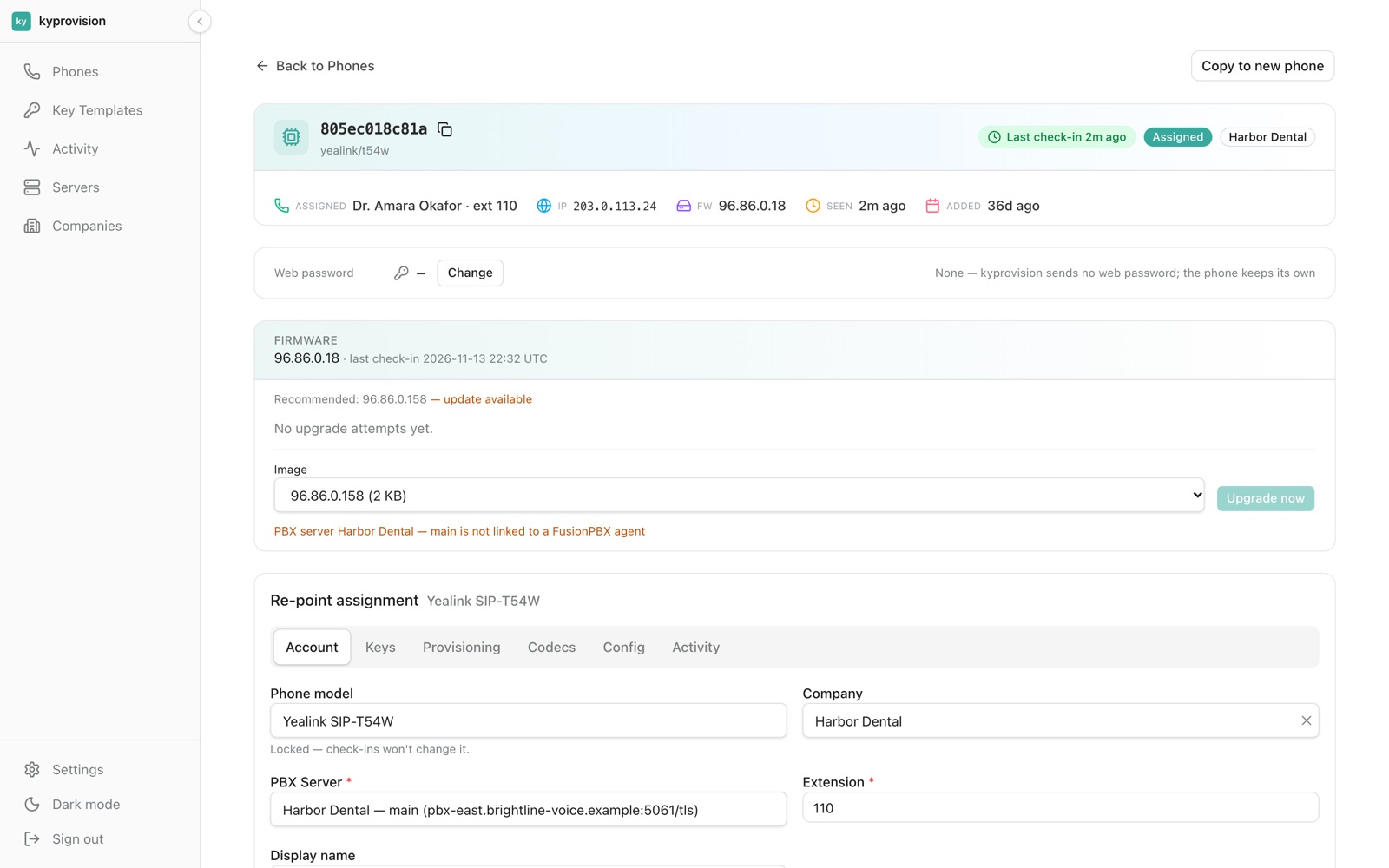
One page per phone
Who the phone belongs to, which PBX it registers to, its IP, firmware and last check-in. Re-point it to another extension or PBX without touching the handset.
- SIP account, keys, codecs and config tabs
- Extra lines
- SIP passwords stored encrypted
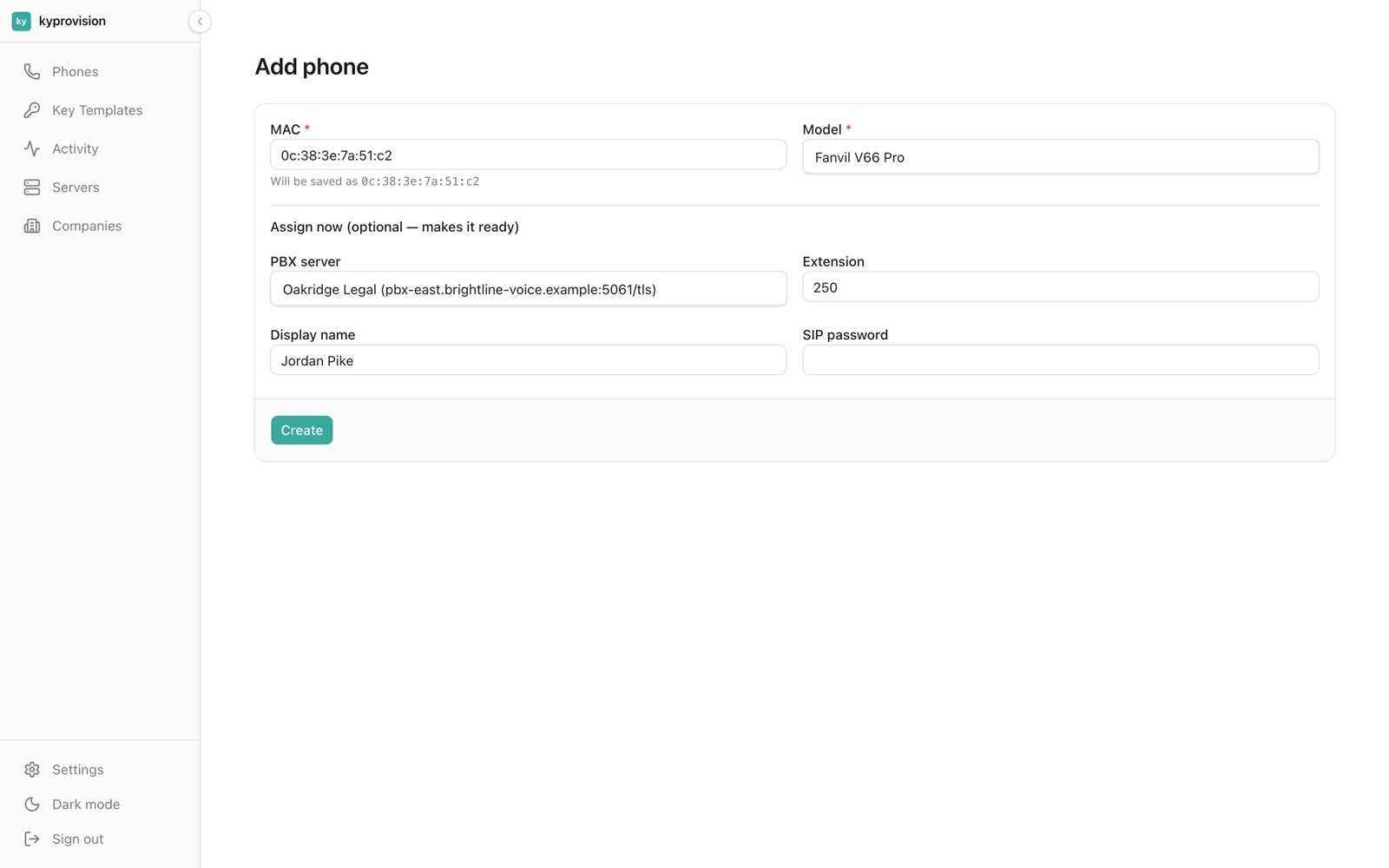
Add a phone by its MAC address
Type the MAC and model, or paste a list from a spreadsheet. Assign it now or later: the phone sets itself up the first time it is plugged in.
- Single add or bulk add
- Optional assign-now to PBX and extension
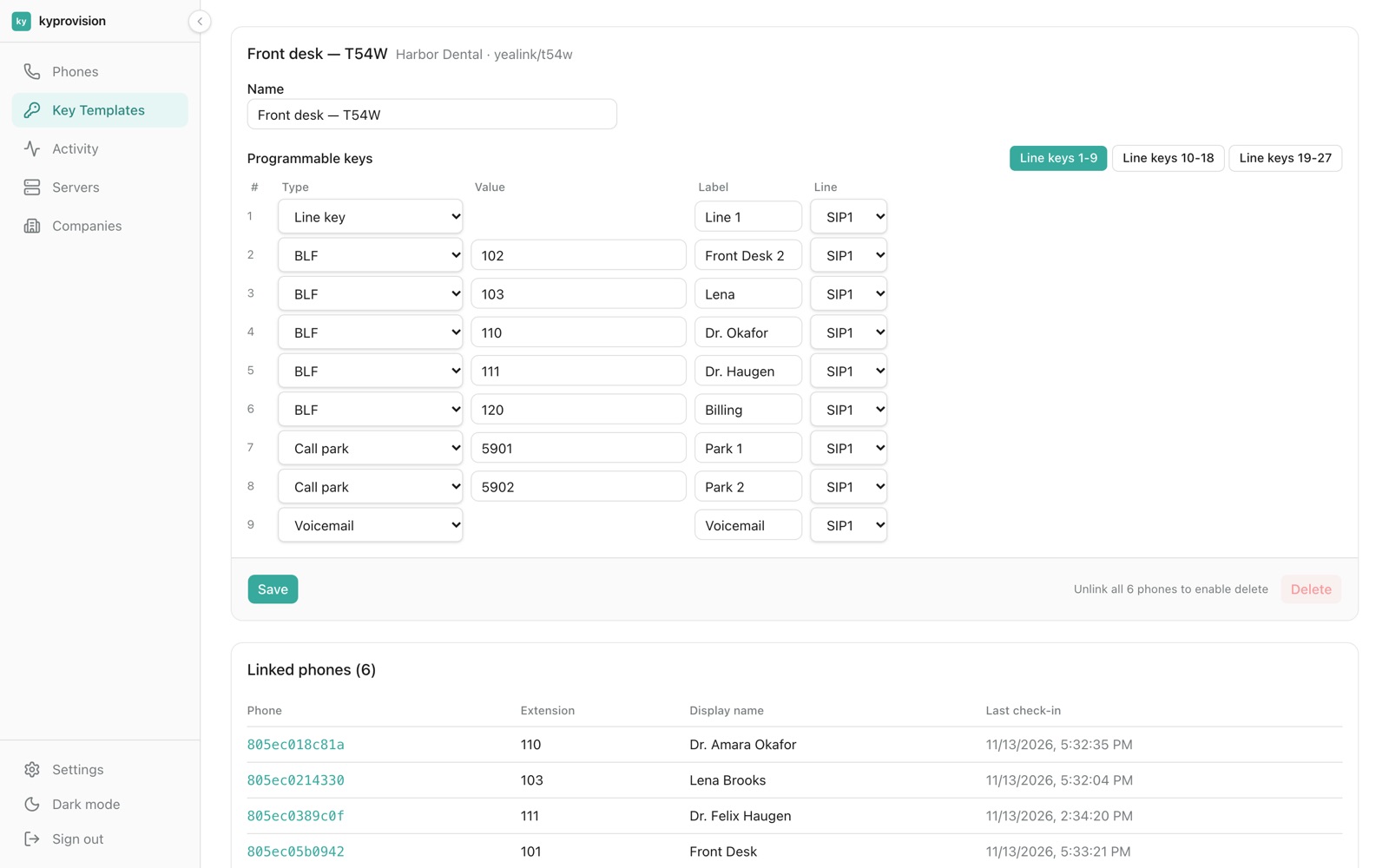
Key templates: set up the keys once
Define BLF, call park, voicemail and intercom keys once per customer and model, then link them to every desk that needs them.
- Up to 27 line keys over 3 pages (T54W)
- Linked phones listed under the template
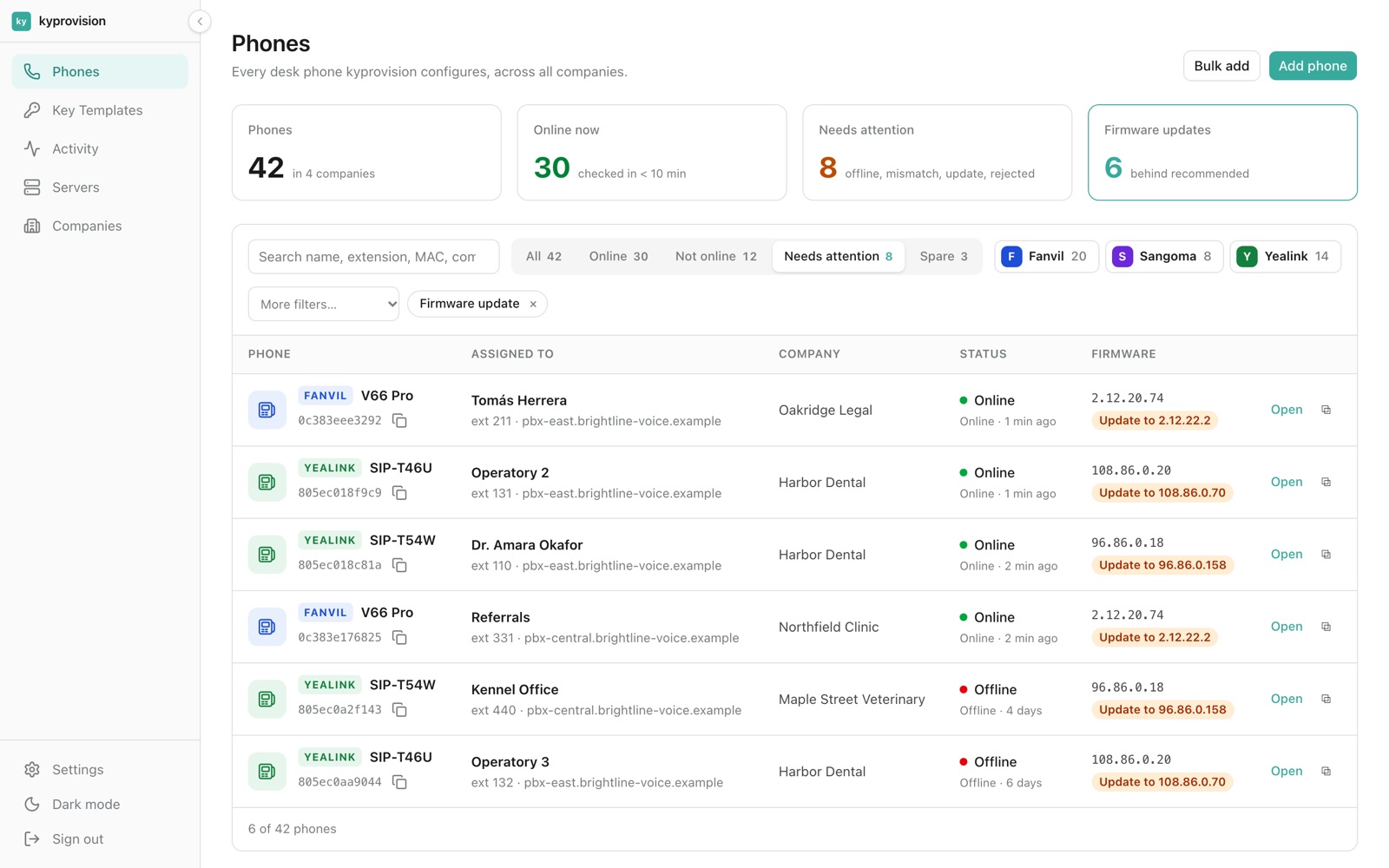
See every phone that is behind on firmware
Choose the version each model should run. One click shows every phone that is behind, and each phone can be upgraded from its page.
- Recommended version per model
- Firmware library with checksums
- Global kill switch for firmware offers
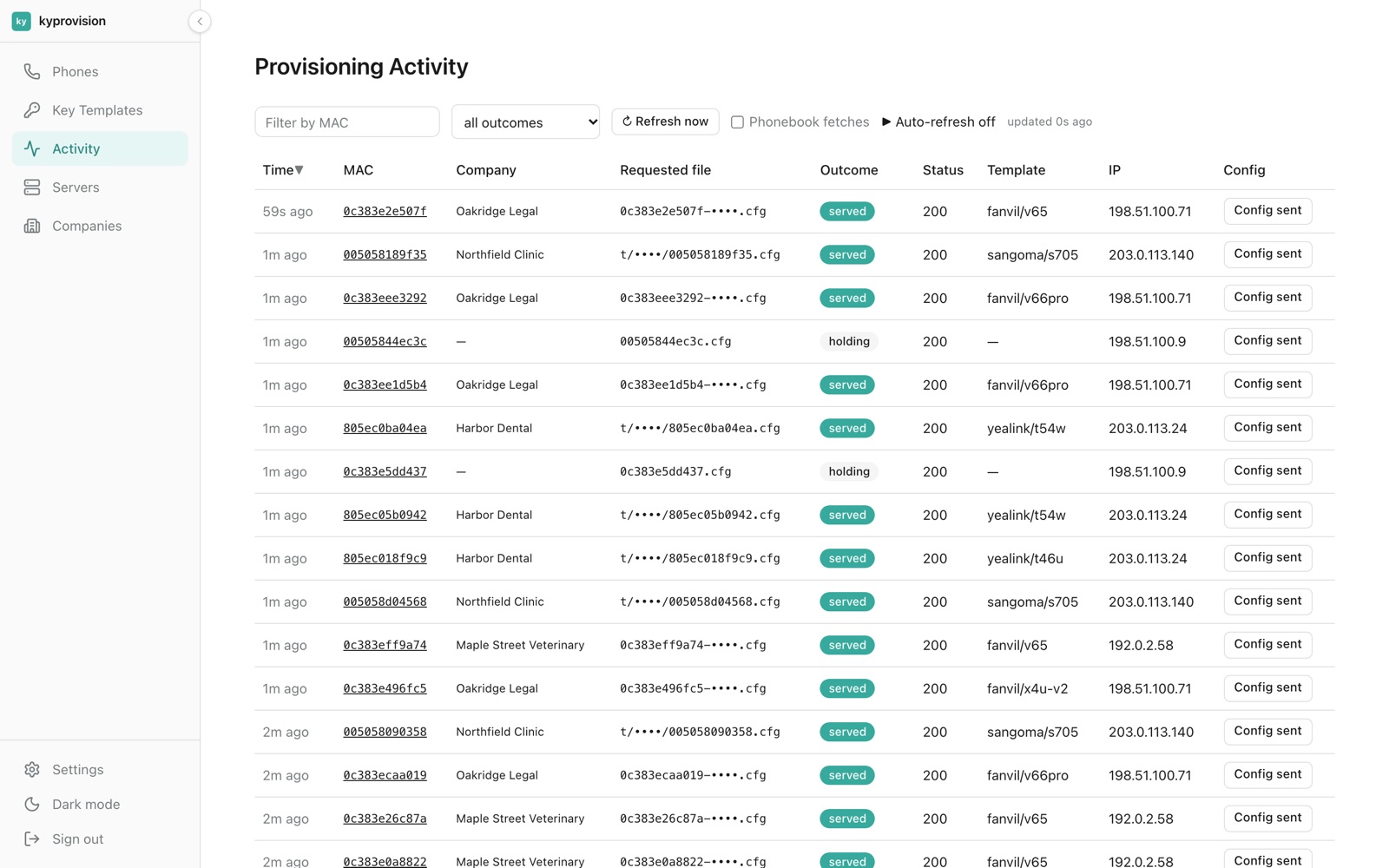
A live log of every check-in
Every request a phone makes is logged: when, from which IP, which file, and the exact config it was sent, with secrets masked.
- Filter by MAC and outcome
- Per-phone check-in history
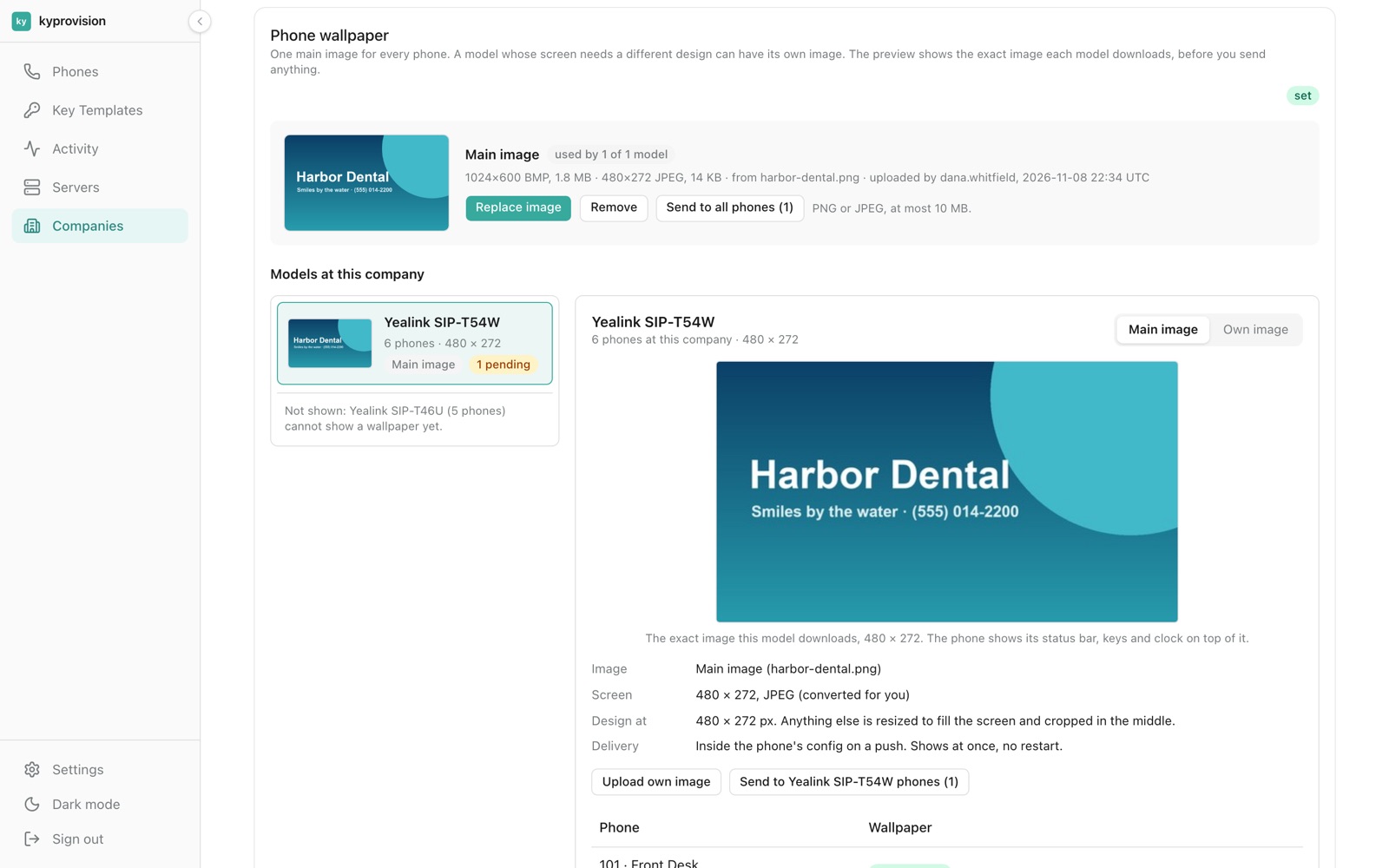
The customer's logo on every phone screen
Upload one image. It is converted for each model's screen, previewed exactly, and sent through provisioning, with no restart.
- Per-model override
- Delivery state per phone
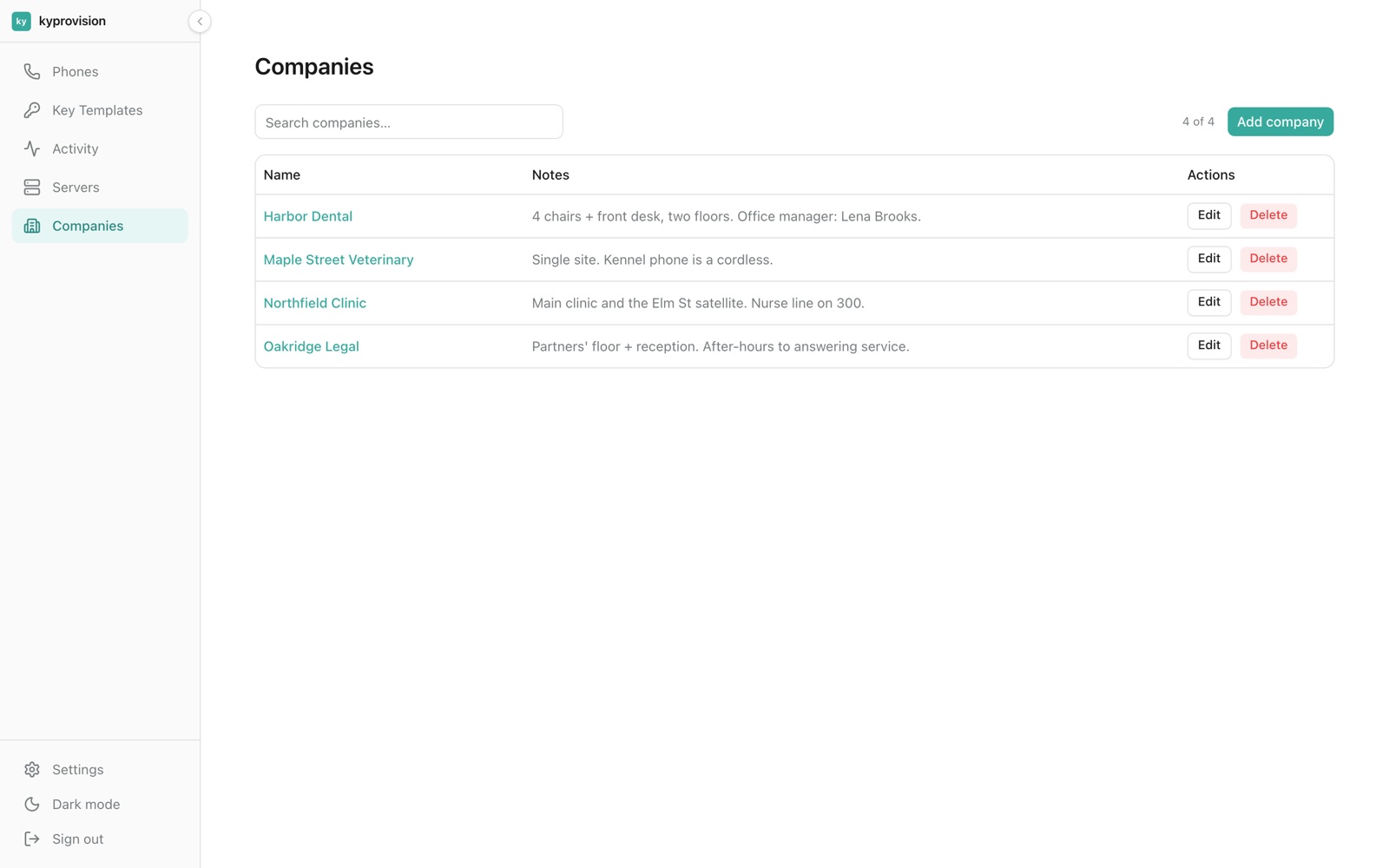
Built for IT providers with many customers
Each customer is a separate company with its own phones, key layouts, wallpaper and optional logins. Roles and an audit log record every change.
- Superadmin, admin and company roles
- Audit log
Supported phones
Frequently asked questions
What is a phone provisioning server?
A phone provisioning server is the address desk phones fetch their settings from: SIP account, keys, firmware and wallpaper. Point the phones at it once (for example with DHCP option 66 or the vendor's redirect service) and every change you make afterwards reaches them automatically.
How does zero-touch provisioning work here?
Every phone uses the same provisioning URL. A new phone appears in the list by itself on its first check-in as a spare and gets a safe holding configuration. Assign it to a company, PBX and extension and it picks up its real settings on the next check-in.
Which phones are supported?
Yealink SIP-T54W and SIP-T46U; Fanvil V65, V66 Pro, X3SG, X3U, X4U-V2, X5U, X6U, X7, X7A and X7C; Sangoma S500, S505 and S705. More models are added on request.
Can I manage phones for several customers?
Yes. It is built for IT and VoIP providers: each customer is a separate company with its own phones, key layouts, wallpaper and, if you want, its own logins.
Does it update phone firmware?
Yes. Pick one recommended version per model, see every phone that is behind, and upgrade a phone from its page. A global switch stops all firmware offers at once.
How much does it cost?
It depends on the number of phones and customers. Send a message or start a chat for a quote.
Want to see it with your phones?
$ I reply within a day, usually much sooner.